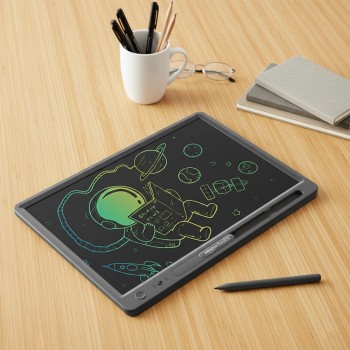

Graphic Drawing Tablet
Graphic Drawing Tablets at Vlebazaar include options for sketching, handwriting and digital notes. Most products sell between ₹450 and ₹1,600, with listed prices from ₹319 to ₹4,099. Browse brands such as Huion, Veikk, Gizga and Portronics, and compare tablet type, drawing area and stylus features before choosing.
Popular tablets by budget
Under ₹500
Tablets for videos, kids and online classes.
₹500 and above
Bigger screens, more storage and LTE.
How to choose tablets
- Decide whether you need a graphics tablet that connects to a computer or an LCD writing tablet for simple notes and doodles.
- Check the active drawing area: a larger area gives your hand more room, while a compact tablet is easier to carry.
- Look for pressure sensitivity if you want line thickness to respond to how firmly you press the stylus.
- Check how the tablet connects to your computer or device, and confirm compatibility with your operating system and drawing software.
- Consider whether the stylus is battery-free or needs charging or batteries; check the product details for the specific model.
- For frequent drawing, compare the tablet's shortcut buttons and whether they can be customised for your workflow.
- If you mainly want to jot down reminders or make quick sketches, an LCD writing tablet may be simpler than a computer-connected graphics tablet.
Tablets features explained
- Active drawing area - This is the part of the tablet that responds to the stylus; more space can feel more comfortable for detailed work.
- Pressure sensitivity - A pressure-sensitive tablet can vary the line or brush response according to how firmly you press the stylus.
- Battery-free stylus - A battery-free stylus works without a separate battery or charging, if the product is specified as having one.
- LCD writing surface - An LCD writing tablet displays handwriting or doodles on its screen and is generally suited to quick notes and simple sketches.
- Shortcut buttons - These buttons can provide quick access to actions such as undo or zoom, depending on the tablet and its software.
Which tablets to buy for what
- For digital illustration: Look for a comfortable active drawing area, pressure sensitivity and compatibility with your drawing software.
- For handwritten notes: Consider an LCD writing tablet for quick notes, or check computer compatibility if you want notes in a digital app.
- For online teaching: Choose a tablet that works with your computer and the software you use to write or annotate.
- For photo editing: Check that the tablet works with your editing software and offers a drawing area that suits your workflow.
Popular tablets brands
Related categories
- Action Camera
- Antivirus
- Audio Mixer
- AV RCA to VGA Adapter
- Bag
- Bags
- Bumper Laptop
- Bumper Smartphone Accessories
Tablets: frequently asked questions
What is the price of a Graphic Drawing Tablet at Vlebazaar?
Listed prices range from ₹319 to ₹4,099. Most products sell between ₹450 and ₹1,600. Compare the product type and features, since an LCD writing tablet and a computer-connected graphics tablet are made for different tasks.
Which Graphic Drawing Tablet is good under ₹500?
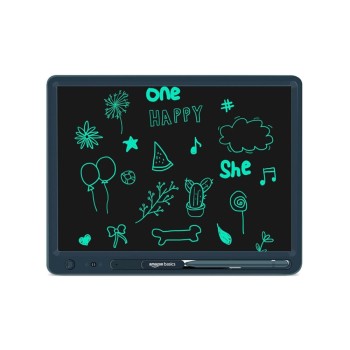
The Gizga Essentials Magic Slate Digital LCD Writing Tablet is listed at ₹479. It is an LCD writing tablet for notes and simple sketches, rather than a computer-connected graphics tablet. Check its product page for details before ordering.
Are LCD writing tablets the same as graphics drawing tablets?
No. An LCD writing tablet displays writing or doodles on its screen and is generally used for quick notes and simple sketches. A graphics drawing tablet usually connects to a computer or compatible device so you can draw in software.
Can I use a Graphic Drawing Tablet with a laptop?
Many graphics drawing tablets are designed to connect to a computer, but compatibility depends on the model, operating system and software. Check the product listing for connection details and supported devices before buying.
Do I need a stylus for a Graphic Drawing Tablet?
A stylus is used to draw or write on a graphics tablet. Check whether it is included and whether it needs charging or batteries. For an LCD writing tablet, check the listing for the writing tool included with that product.
What should I check before buying a tablet for digital drawing?
Check the active drawing area, pressure sensitivity, stylus details, connection type and compatibility with your computer and drawing software. These details help you judge whether a tablet suits your preferred way of working.


/1-350x350.jpg)