
Laptop Battery
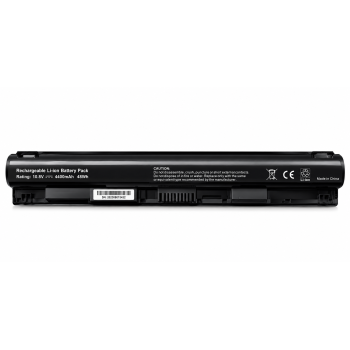
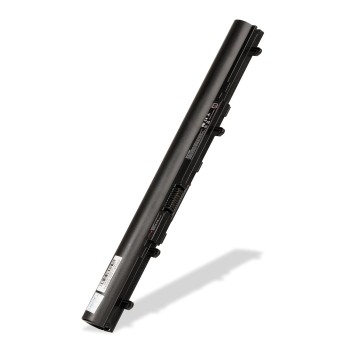
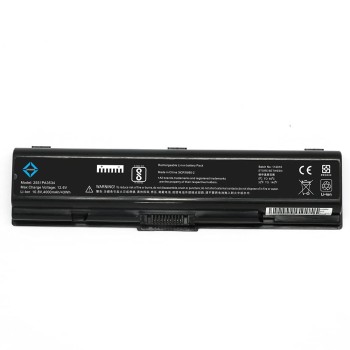
Laptop Battery options at Vlebazaar range from ₹409 to ₹2,999, with many products priced between ₹800 and ₹1,400. Browse brands including Lapcare, Dell, HP and Lapgrade. Before ordering, match the battery’s part number, voltage and connector with your laptop’s requirements, and check the product page for compatibility details.
Popular laptops by budget
Under ₹1,000
Everyday laptops for study and office work.
₹1,000 and above
Faster processors, 16 GB RAM and slim designs.
How to choose laptops
- Check your laptop’s exact model number and the battery part number printed on the old battery. A similar-looking battery may not fit or work.
- Match the replacement battery’s voltage to the value specified for your laptop. Do not choose a battery based on capacity alone.
- Check the connector, shape and dimensions against the battery you are replacing, and review any compatibility list on the product page.
- Capacity, usually shown in mAh or Wh, indicates how much energy a battery can store. Compare it with the original while ensuring the replacement is compatible.
- Check the battery chemistry and charging requirements listed for the product, and follow your laptop maker’s guidance for replacement and charging.
- If you are unsure about installation, consult a qualified technician. Handle batteries carefully and do not use one that is swollen or damaged.
- Compare the listed product details with your laptop’s service manual or manufacturer information before placing an order.
Laptops features explained
- Voltage - Voltage is the battery’s electrical output, which should match the requirement specified for your laptop.
- Capacity - Capacity, shown in mAh or Wh, indicates how much energy a battery can store and can help you compare compatible options.
- Part number - The part number identifies a battery version and helps you check whether it matches your existing battery or laptop.
- Cell count - Cell count indicates the number of battery cells, but by itself does not confirm compatibility or runtime.
- Connector - The connector links the battery to the laptop, so its type and position need to match the device.
Which laptops to buy for what
- For replacing a worn battery: Match the laptop model and old battery part number before comparing options.
- For a laptop that will not hold charge: Check compatibility and the product details, and confirm that the battery is the likely cause.
- For a travel laptop: Compare capacity among compatible batteries and consider how often you can recharge.
- For DIY replacement: Check your laptop’s service instructions first and avoid handling a swollen or damaged battery.
Popular laptops brands
Related categories
- Action Camera
- Antivirus
- Audio Mixer
- AV RCA to VGA Adapter
- Bag
- Bags
- Bumper Laptop
- Bumper Smartphone Accessories
Laptops: frequently asked questions
What is the price of a laptop battery at Vlebazaar?
Laptop battery listings range from ₹409 to ₹2,999. Many products fall between ₹800 and ₹1,400. Prices vary by product, so check the current listing and its compatibility details before choosing.
Which laptop battery is good under ₹1,000?
The Lapgrade Battery for Toshiba Satellite A200 A205 A210 A215 is listed at ₹409. Check that your exact laptop model and battery part number match before ordering. The SJCAM Rechargeable Battery Lithium-ion Capacity 900mah is also listed at ₹899, but confirm its intended device and compatibility on the product page.
Which brands are available for laptop batteries?
Brands listed include Lapcare, Dell, HP, Hako, Lapgrade, Maxelon, Sjcam and Lap Gadgets. Availability and product details can vary, so check each listing for the battery’s supported laptop models and specifications.
How do I know if a replacement battery will fit my laptop?
Check your laptop’s exact model and the part number on its original battery. Compare these with the listing’s compatibility information, connector, voltage and dimensions. If any detail is unclear, verify it with the laptop maker or a technician before buying.
Is a higher mAh laptop battery always better?
Not necessarily. A higher capacity can store more energy, but the battery must also be compatible with your laptop’s voltage, connector and physical fit. Compare capacity only after confirming that the replacement is suitable for your exact model.
Can I use a battery with a different voltage?
Choose a battery with the voltage specified for your laptop. A different voltage may be unsuitable, even if the battery appears to fit. Check the original battery label, laptop documentation and product listing before ordering.
How do I check a laptop battery part number?
The part number is usually printed on the battery label. If the battery is not accessible, consult your laptop’s documentation or manufacturer support for the correct battery reference, then compare it with the product listing.