

SSD
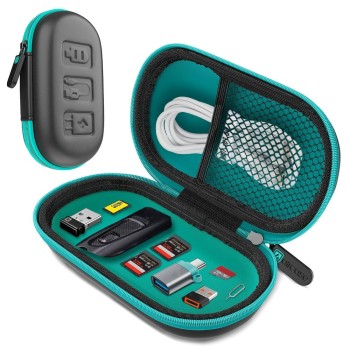
-32%
Brand: Aircase
Model: AIRC41-SSD-GRN
The AirCase AIRC41-SSD-GRN is a protective storage case for pendrives,..
₹203.00 ₹299.00
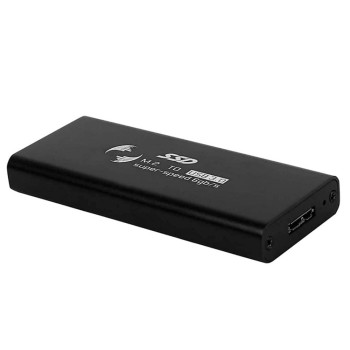
-69%
Brand: ATEVON
Model: MST-1704
The Atevon MST-1704 is a portable M.2 SATA SSD enclosure featuring USB..
₹523.00 ₹1,699.00
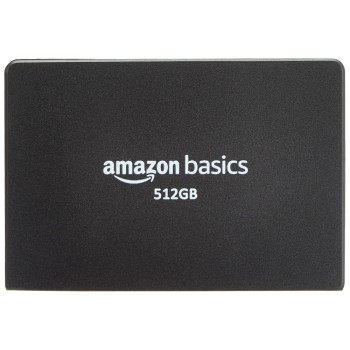
-42%
Brand: generic
Model: ABSA512- SATA
The Generic ABSA512-SATA is a 2.5 inch SATA internal solid state drive..
₹5,644.00 ₹9,699.00

-70%
Out Of Stock
Brand: Consistent
Model: CTSSD256S6
The Consistent CTSSD256S6 256GB SSD replaces slow hard drives and agin..
₹1,799.00 ₹5,999.00

-50%
Brand: EVM
Model: EVM25/256GB
The EVM 256GB 2.5-Inch SATA Internal SSD (EVM25/256GB) replaces slow h..
₹2,999.00 ₹5,999.00
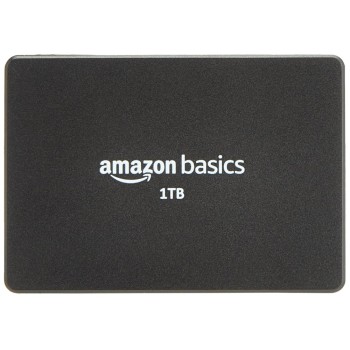
-65%
SOLD OUT
Brand: generic
Model: ABSA001- SATA
The Generic ABSA001-SATA is a 2.5-inch SATA internal SSD with 1 TB of ..
₹10,879.00 ₹30,678.00

-38%
Out Of Stock
Brand: Acer
Model: 6955914613690
Upgrade your system responsiveness with the Acer RE100 256GB 3D NAND S..
₹2,999.00 ₹4,800.00

-11%
Out Of Stock
Brand: Crucial
Model: CT500BX500SSD1
:
The Crucial BX500 500GB SSD transforms slow, clunky systems into..
₹4,999.00 ₹5,599.00

-62%
Brand: Samsung
Model: MZ-V8V500B
The Samsung 980 500GB NVMe M.2 SSD transforms sluggish systems into re..
₹4,039.00 ₹10,500.00

-68%
Out Of Stock
Brand: Samsung
Model: MZ-V8P500BW
The Samsung 980 PRO 500GB delivers blistering PCIe 4.0 NVMe performanc..
₹4,799.00 ₹14,849.00

-46%
Out Of Stock
Brand: Samsung
Model: MZ-V8V1T0B
The Samsung 980 1TB NVMe SSD solves slow boot times, long game loads a..
₹8,799.00 ₹16,199.00

-45%
Out Of Stock
Brand: Samsung
Model: MZ-V9P1T0BW
The Samsung 990 PRO 1TB solves the bottleneck that slows games, creati..
₹14,999.00 ₹27,039.00

-30%
Brand: Seagate
Model: STJL2000400
:
The Seagate Basic Portable 2TB delivers reliable, pocket-friend..
₹6,999.00 ₹9,999.00

-41%
SOLD OUT
Brand: Seagate
Model: STLH500400
The Seagate Expansion 500 GB External SSD solves slow file transfers a..
₹5,199.00 ₹8,799.00

-19%
SOLD OUT
Brand: Seagate
Model: STJW500401
The Seagate Ultra Touch 500GB External SSD (STJW500401) solves the con..
₹4,881.00 ₹5,999.00

-47%
Out Of Stock
Brand: Western Digital
Model: WDBAYN0010BBK-WESN
Summary
Powerful, pocket-sized storage that solves slow transfers and ..
₹5,899.00 ₹11,200.00

-52%
Out Of Stock
Brand: WD
Model: WDS250G2B0B
Upgrade your laptop or desktop with the WD Blue M.2 SATA 250GB SSD — a..
₹2,499.00 ₹5,200.00

-67%
Model: WDS500G3B0
Upgrade your laptop or desktop to instantly snappier performance with ..
₹2,299.00 ₹7,000.00

-30%
Out Of Stock
Brand: WD
Model: WDS480G3G0A
Upgrade sluggish boot times and breathe new life into your laptop or d..
₹3,999.00 ₹5,699.00
Showing 1 to 19 of 19 (1 Pages)