Computers > Accessories > Components > Memory
Memory components are available at Vlebazaar for desktop and PC builds, with listed prices from ₹749 to ₹39,999; most products sell between ₹700 and ₹26,000. Browse options from Ant Esports, Dell, G.skill and Seagate. Compare the component type and compatibility with your system before choosing.
Popular computers > accessories > components > memory by budget
Up to ₹39,999
How to choose computers > accessories > components > memory
- Check whether you need RAM, an SSD or another type of memory component; they serve different purposes.
- Confirm your computer supports the component you plan to buy, including its form factor and interface.
- For RAM, check the supported memory generation and capacity for your motherboard or computer.
- For an SSD, check the drive type and connection supported by your system.
- Choose capacity based on the programs, files and workload you expect to handle.
- Compare speed information only when it is provided, and make sure your system can use it.
- Check the product name and price carefully, as this category includes different kinds of components.
Computers > accessories > components > memory features explained
- RAM - RAM temporarily holds data that your computer is using, so check that its type and capacity are supported by your system.
- SSD - An SSD stores files and programs, and the drive type and connection must match your computer.
- Capacity - Capacity indicates how much data a memory component can hold or work with, depending on whether it is RAM or storage.
- Speed - Speed describes how quickly a component can transfer or access data; compare it only with compatible products.
Which computers > accessories > components > memory to buy for what
- For upgrading a desktop: Check the motherboard’s supported RAM type, capacity and form factor.
- For adding storage: Look for an SSD that matches your computer’s supported drive type and connection.
- For a PC build: Confirm that each memory component is compatible with the motherboard and other parts.
- For replacing a component: Match the existing component’s type and connection with your system requirements.
Popular computers > accessories > components > memory brands
Related categories
- Action Camera
- Antivirus
- Audio Mixer
- AV RCA to VGA Adapter
- Bag
- Bags
- Bumper Laptop
- Bumper Smartphone Accessories
Computers > accessories > components > memory: frequently asked questions
What is the price range for memory components at Vlebazaar?
Listed prices range from ₹749 to ₹39,999. The store’s most-sold price band is ₹700 to ₹26,000, so compare the component type and product details within your budget.
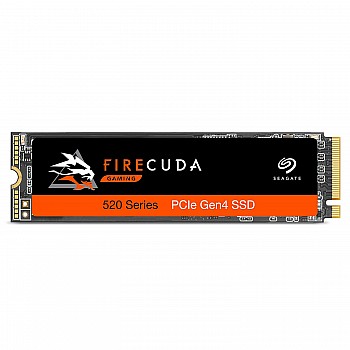
How much does the Seagate Firecuda 520 SSD 2TB cost?
The Seagate Firecuda 520 SSD 2TB up to 5000 MB/s is listed at ₹25,999. Check that your computer supports the drive type and connection before buying.
Which brands are available in this memory category?
The listed brands are Ant Esports, Dell, G.skill, Seagate and Thermaltake. Product types vary, so check each listing to confirm whether it is RAM, storage or another component.
How do I choose RAM for my computer?
Check your computer or motherboard documentation for the supported RAM type, form factor and capacity. Choose a compatible option and compare speed only if your system supports it.
Is an SSD the same as RAM?
No. RAM temporarily holds data while your computer is working, while an SSD stores files and programs. Check which component your system needs before ordering.
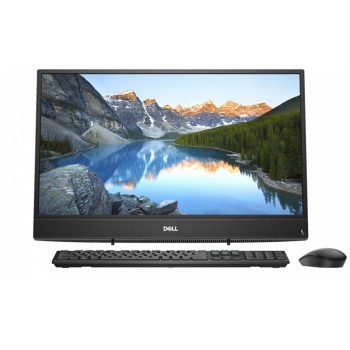
What is the price of the Dell Inspiron 3000 Series Core i5 listed here?
The Dell Inspiron 3000 Series Core i5 is listed at ₹39,999. Check the product listing for details, as the category includes products beyond memory components.