

Cooling Pads

-83%
Brand: AmazonBasics
Model: Cooling Pad
The Amazon Basics Laptop Cooling Pad solves overheating, throttling an..
₹799.04 ₹4,799.00

-62%
Brand: Ant Esports
Model: NC150 Ultra Slim
The solves overheating, throttling and uncomfortable lap heat with a ..
₹499.00 ₹1,299.00

-72%
Brand: Ant Esports
Model: Ant Esports NC280
The Ant Esports NC280 RGB Gaming Notebook Cooler keeps your laptop coo..
₹1,119.00 ₹3,999.00
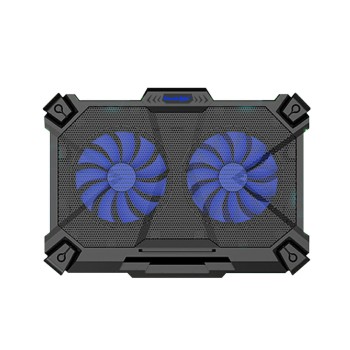
-33%
Brand: Cosmic Byte
Model: Comet
The Cosmic Byte Comet Laptop Cooling Pad solves overheating, throttlin..
₹799.00 ₹1,199.00

-60%
Brand: Cosmic Byte
Model: Meteoroid RGB
The Cosmic Byte Meteoroid RGB Laptop Cooling Pad keeps high-performanc..
₹989.00 ₹2,499.00

-60%
Brand: DEEPCOOL
Model: N80 RGB
The DEEPCOOL N80 RGB transforms hot, throttling gaming sessions into s..
₹1,589.00 ₹3,999.00

-74%
Brand: Dyazo
Model: DZ-C161124
The Dyazo Gaming Laptop Cooler (DZ-C161124) solves overheating, thrott..
₹639.00 ₹2,499.00

-57%
Brand: EvoFox
Model: 593
The EvoFox Blizzard 2 Xtreme laptop cooling pad, model 593, combines d..
₹1,499.00 ₹3,499.00
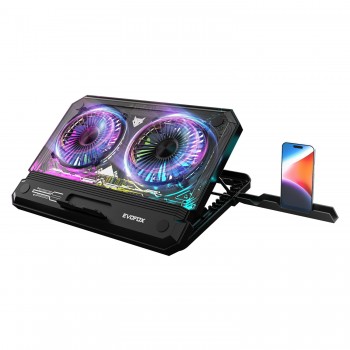
-54%
Brand: EvoFox
Model: 587
The EvoFox 587 laptop cooling pad has two large high-flow fans, eight ..
₹1,149.00 ₹2,499.00

-63%
Brand: EvoFox
Model: 583
EvoFox Frost Laptop Cooling Pad — Blue
The EvoFox Frost Lap..
₹549.00 ₹1,499.00

-59%
Brand: EvoFox
Model: 187
The EvoFox Frost Plus 187 laptop cooling pad has dual 120 mm fans, an ..
₹649.00 ₹1,599.00

-40%
Brand: Live Tech
Model: Breeze
The Live Tech Breeze laptop cooling pad and stand has dual fans, seven..
₹599.00 ₹999.00

-50%
Brand: Live Tech
Model: Thunder X
The Live Tech Thunder X cooling pad solves overheating, throttling and..
₹699.00 ₹1,400.00

-73%
Brand: Live Tech
Model: Storm Pro
The Live Tech Storm Pro solves overheating, throttling and uncomfortab..
₹549.00 ₹1,999.00

-46%
Brand: Live Tech
Model: Wind Max
The solves overheating, throttling and uncomfortable keyboard heat du..
₹539.00 ₹999.00
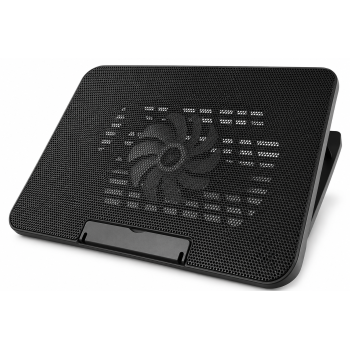
-71%
Brand: Quantum
Model: QHM330
Keep your laptop cool, fast and reliable with the QUANTUM QHM330 — a s..
₹409.00 ₹1,405.00

-59%
Brand: Quantum
Model: QHM330
The Quantum QHM330 solves overheating, lag and uncomfortable heat buil..
₹409.00 ₹999.00

-64%
Brand: Tukzer
Model: TZ-CP1
The Tukzer TZ-CP1 Laptop Cooling Pad eliminates overheating and keeps ..
₹959.00 ₹2,699.00

-68%
Brand: Zebronics
Model: ZEB-NC2100
The Zebronics NC2100 Laptop Cooling Stand solves overheating, slow per..
₹319.00 ₹999.00
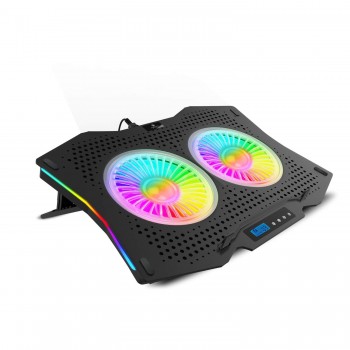
-60%
Brand: Zebronics
Model: Zeb- NC9000
The ZEBRONICS Zeb- NC9000 Laptop Cooling Pad keeps your laptop running..
₹1,389.00 ₹3,499.00