
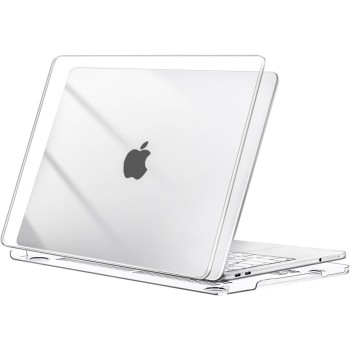
Computer Case
Computer cases at Vlebazaar include options for shoppers building or refreshing a desktop PC. Listed prices range from ₹359 to ₹2,599, with most products selling between ₹350 and ₹2,500. Browse brands such as Ant Esports, Fingers, Asus and HP, and check the case type and fit against your components before choosing.
Popular cases and covers by budget
Under ₹500
Slim everyday cases.
₹500 and above
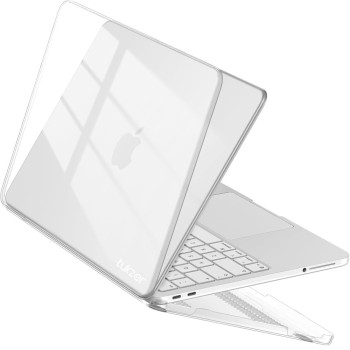
Shockproof and clear cases.
How to choose cases and covers
- Check that the case supports your motherboard form factor, such as Micro ATX, before buying.
- Compare the case dimensions with your graphics card, CPU cooler and power supply to confirm they can fit.
- Look at the number and placement of drive bays if you plan to install multiple storage drives.
- Check the front and rear ports against the USB and audio connections you use regularly.
- Consider ventilation and fan or radiator mounting options to suit your components and cooling needs.
- Choose a layout with cable-routing space if you want a tidier build and easier access during assembly.
- Check the product listing for included fans and other accessories; do not assume they are included.
Cases and covers features explained
- Motherboard form factor - This describes the motherboard size a case is designed to accommodate, so match the case listing to your board.
- Drive bays - These are mounting spaces for storage drives, and the number and size determine which drives you can install.
- Front I/O - These are the ports on the front or top of a case for connecting devices such as USB accessories and headphones.
- Airflow - Ventilation openings and fan mounts help move air through the case to cool installed components.
- Cable management - Routing openings and space behind the motherboard tray help keep cables organised inside the case.
Which cases and covers to buy for what
- For a compact desktop build: Check motherboard compatibility and case dimensions against every component.
- For a gaming PC: Look for enough clearance for your graphics card and suitable ventilation for your build.
- For a work or home PC: Compare front USB and audio ports with the connections you use most.
- For a storage-focused build: Check how many drive bays are available and which drive sizes they support.
Popular cases and covers brands
Related categories
- Action Camera
- Antivirus
- Audio Mixer
- AV RCA to VGA Adapter
- Bag
- Bags
- Bumper Laptop
- Bumper Smartphone Accessories
Cases and covers: frequently asked questions
What is the price range for computer cases at Vlebazaar?
Listed prices range from ₹359 to ₹2,599, while most products sell between ₹350 and ₹2,500. Check each product page for its current price and details.
Which computer cases are good under ₹2,500?
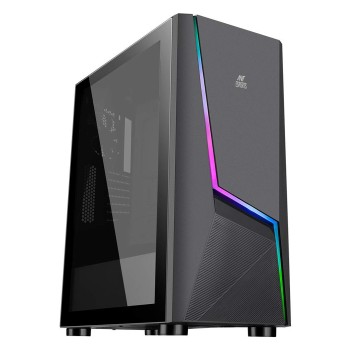
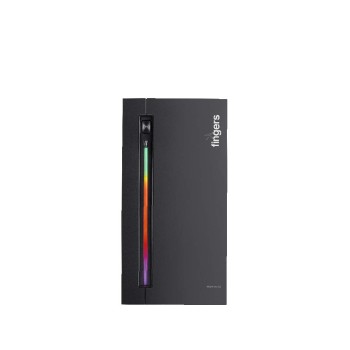
The Fingers RGB-Flow India's First Micro ATX PC C2 Fashion is listed at ₹2,199, and the Ant Esports ICE-130AG Mid Tower Computer Case I Gaming is listed at ₹2,349. Compare their listing details with your build before choosing.
How do I choose a computer case that fits my motherboard?
Check your motherboard’s form factor and compare it with the supported form factors in the case listing. The Fingers RGB-Flow India's First Micro ATX PC C2 Fashion is identified as Micro ATX in its product name; check its listing for further compatibility details.
What should I check before buying a PC case?
Check motherboard compatibility, internal dimensions, graphics card and cooler clearance, drive bays, front ports and cooling options. Verify these against your components and the product listing, since the product name alone may not cover every fit detail.
Which brands are available in the Computer Case category?
Brands listed in this category include Ant Esports, Asus, EvoFox, Fingers, HP, Kinsound, Meyaar and Proelite. Check the live product listings to see which brands have a computer case available.
Does a computer case come with fans?
The provided product information does not confirm whether fans are included. Check the individual listing for included fans, mounting options and other accessories before placing an order.
Can I use any power supply with a computer case?
Not necessarily. Check the case listing for power-supply compatibility and compare it with your power supply’s size and connectors. Also confirm that your other components fit inside the case.