

Live Tech Breeze Cooling Pad in View Laptop Stand with 7 Adjustment Levels (Black)

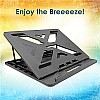
- Stock: In Stock
- Brand: Live Tech
- Model: Breeze
- SKU: JGDVVMF
🎉 Our Customer Benefits 🎉
| 💸 12% Instant Discount | Use code VLE12 at checkout to get 12% Flat Discount |
| 🎁 ₹100 Wallet Credit | Get ₹100 credited to your wallet after successful order completion |
| 💼 GST Credit Available | Add your GST number at checkout to claim tax benefits. Update Now |
| ✅ Warranty Included | All products come with warranty for your peace of mind |
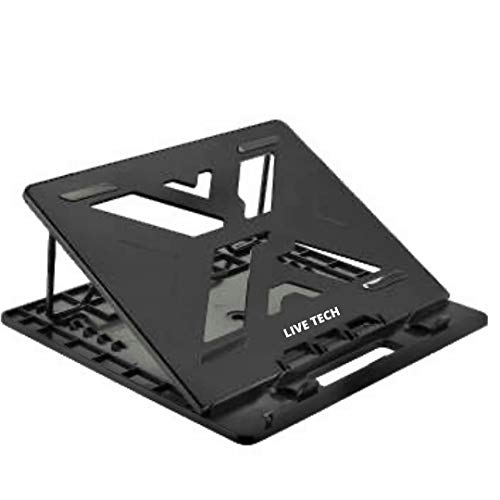
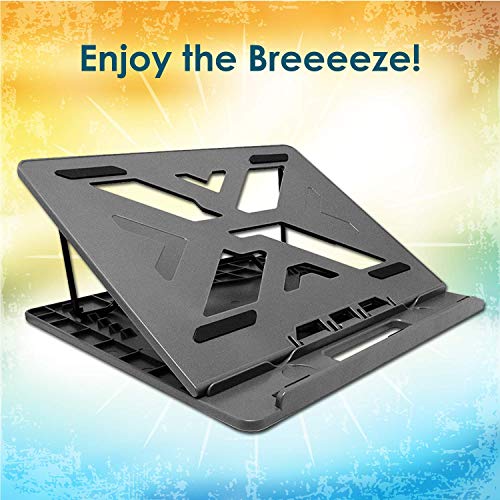
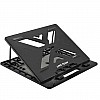
The Live Tech Breeze laptop cooling pad and stand has dual fans, seven adjustable positions and a USB-A power connection. It fits 11–17-inch laptops, including notebooks and ultrabooks, and suits people who want adjustable laptop positioning with airflow for work, study or gaming.
Key Highlights
- Dual fans with airflow up to 32 CFM
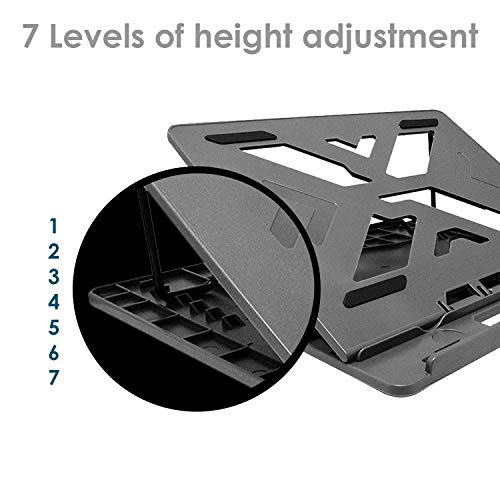
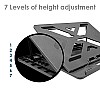
- Seven height and tilt positions
- Variable fan speed up to 1200 RPM
- Aluminium mesh top and reinforced ABS frame
- Fits 11–17-inch laptops
- USB-A powered, with no battery
Product Overview
The Live Tech Breeze combines a laptop stand with a USB-powered cooling pad. Its dual fans provide airflow up to 32 CFM, with variable speeds up to 1200 RPM and noise of 28 dB or less. The aluminium mesh top supports airflow, while a reinforced ABS frame provides laptop support.
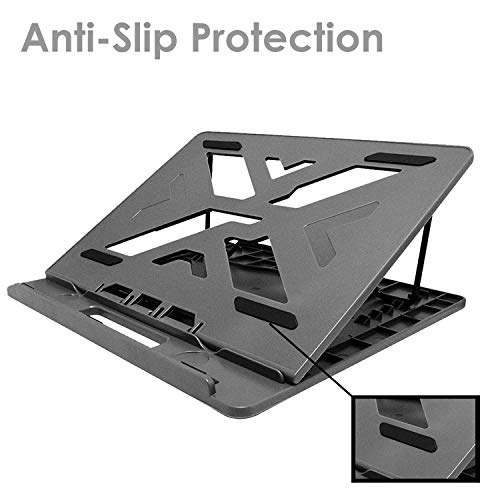
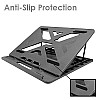
Choose from seven height and tilt positions to adjust how the laptop sits. Rubber pads and a raised lip help secure its placement. The stand fits 11–17-inch laptops, including notebooks and ultrabooks. It measures approximately 355 × 260 × 35 mm and weighs approximately 700 g. Power comes through USB-A, and the box includes a USB cable, USB-C adapter, user manual.
Features and Benefits
- Dual fans – provide airflow up to 32 CFM.
- Variable fan speed – reaches up to 1200 RPM.
- Seven adjustment positions – allow height and tilt changes.
- Aluminium mesh top – supports airflow across the stand.
- Reinforced ABS frame – supports laptop placement.
- Rubber pads and raised lip – help secure the laptop.
- USB-A power – operates without a battery.
- Portable design – weighs approximately 700 g.
Technical Specifications
| Specification | Details |
|---|---|
| Brand | Live Tech |
| Model | Breeze (In View Series) |
| Product Type | Laptop cooling pad and stand |
| Compatibility | 11–17-inch laptops; notebooks and ultrabooks |
| Cooling | Dual fans; airflow up to 32 CFM |
| Noise | ≤ 28 dB |
| Fan Speed | Variable, up to 1200 RPM |
| Adjustment Levels | 7 height and tilt positions |
| Power | USB powered; no battery |
| Connectivity | USB-A powered |
| Materials | Aluminium mesh top, reinforced ABS frame |
| Anti-slip Features | Rubber pads and raised lip |
| Dimensions | 355 × 260 × 35 mm (approx.) |
| Weight | Approximately 700 g |
| Colour | Matte black |
| Country of Origin | China |
| Color | BLACK |
Who Should Buy This?
- Remote workers – adjustable positioning and USB-powered airflow suit laptop use.
- Students – seven positions provide options for study setups.
- Laptop gamers – the stand has dual fans and airflow up to 32 CFM.
- Frequent travellers – the stand weighs approximately 700 g.
Compatibility
- Fits 11–17-inch laptops.
- Compatible with notebooks and ultrabooks.
- USB-A powered; a USB-C adapter is included.
How to Set Up
- Connect the included USB cable to a USB power connection.
- Set the stand to one of its seven height or tilt positions.
- Place the laptop on the stand, using the rubber pads and raised lip for support.
What's in the Box
- Cooling pad
- USB cable
- User manual
- Warranty card
- Extra anti-slip pads
- USB-C adapter
Pros and Limitations
Pros
- Dual fans provide airflow up to 32 CFM.
- Seven height and tilt positions.
- Fits 11–17-inch laptops.
- Rubber pads and raised lip help secure laptop placement.
- USB-C adapter is included.
Limitations
- The stand requires USB power and has no battery.
- Power connection is USB-A.
Frequently Asked Questions
What laptop sizes does the Live Tech Breeze support?
It fits laptops from 11 to 17 inches. It is also compatible with notebooks and ultrabooks.
How many adjustment positions does the stand have?
It has seven height and tilt positions. These let you choose how the laptop is positioned on the stand.
How is the Breeze powered?
It is powered through USB-A and does not have a battery. A USB cable and USB-C adapter are included.
What cooling performance does it provide?
The two fans provide airflow up to 32 CFM. Their variable speed reaches up to 1200 RPM.
How noisy are the fans?
The noise level is 28 dB or less. Fan speed is variable up to 1200 RPM.
What materials and laptop-support features does it have?
It has an aluminium mesh top and a reinforced ABS frame. Rubber pads and a raised lip help secure laptop placement.
What comes in the box?
The box includes the cooling pad, USB cable, user manual, warranty card, extra anti-slip pads and USB-C adapter. The USB cable provides the USB power connection.
How does the Live Tech Breeze Cooling Pad in connect?
It connects using USB-A powered. Check that your device supports the same connection before buying.
Warranty
1-year manufacturer warranty.
| Country and Manufacturer | |
| Country of Origin | China |
| General | |
| Color | BLACK |
| Condition | NEW |